From a 21-sheet Excel file to one list that says whom to call today
- Client
- Sarvoday Solar Solutions, Ratnagiri (same client as the website)
- What
- A customer follow-up system (CRM) for the owner and his team
- Live
- Since 3 October 2026. Private, login only
- My role
- Requirements, scope, decisions, testing, server setup, data import and support after launch. I used Claude Code to write the code (details below)
All screenshots on this page use a demo copy with made-up customers.
The situation
Mr Karkare and one staff member were keeping track of about 280 customers in an Excel workbook, with one sheet per sales stage. Formats didn’t match from sheet to sheet, the same customer appeared more than once, and phone numbers were typed in different ways. Nothing reminded them whom to call and when, so follow-ups slipped. The total capacity they’d sold had to be added up by hand.
They needed one shared list that works on a phone and tells them each day whom to call. It was built for a team of two, so it stays simple: small and focused, not a large commercial CRM.
What I built
Daily follow-ups
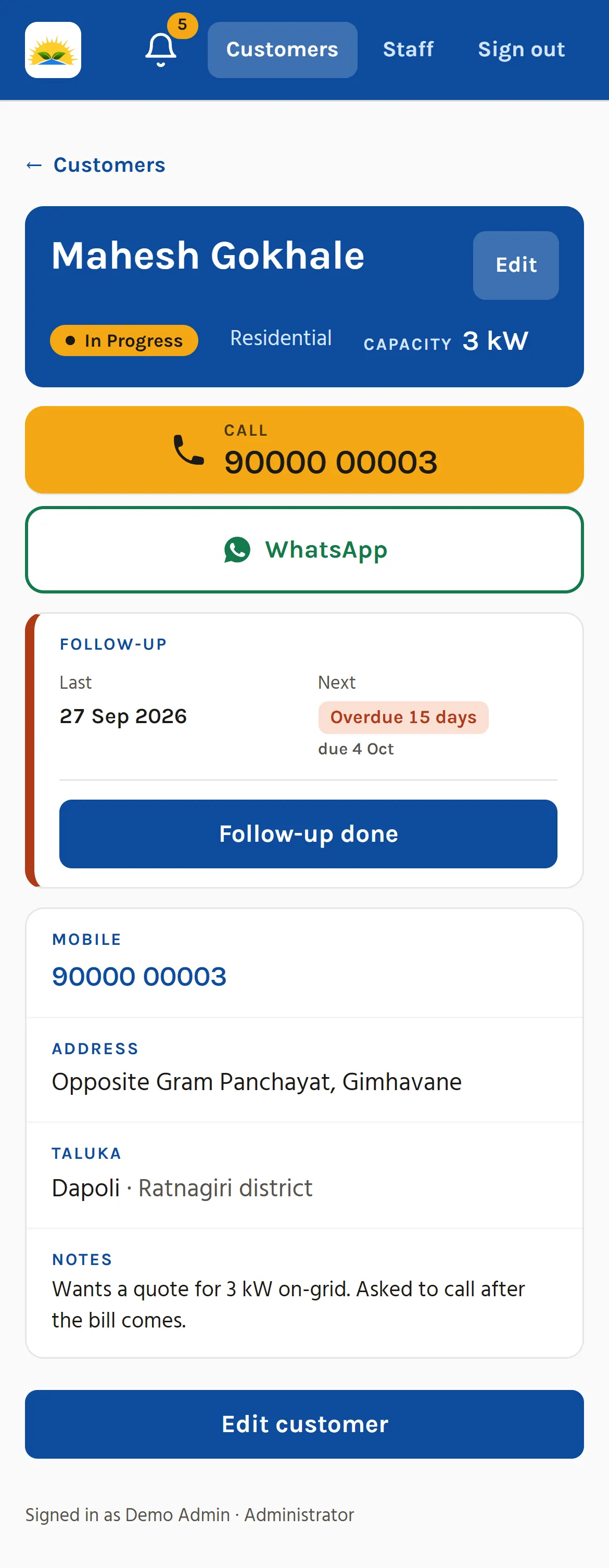
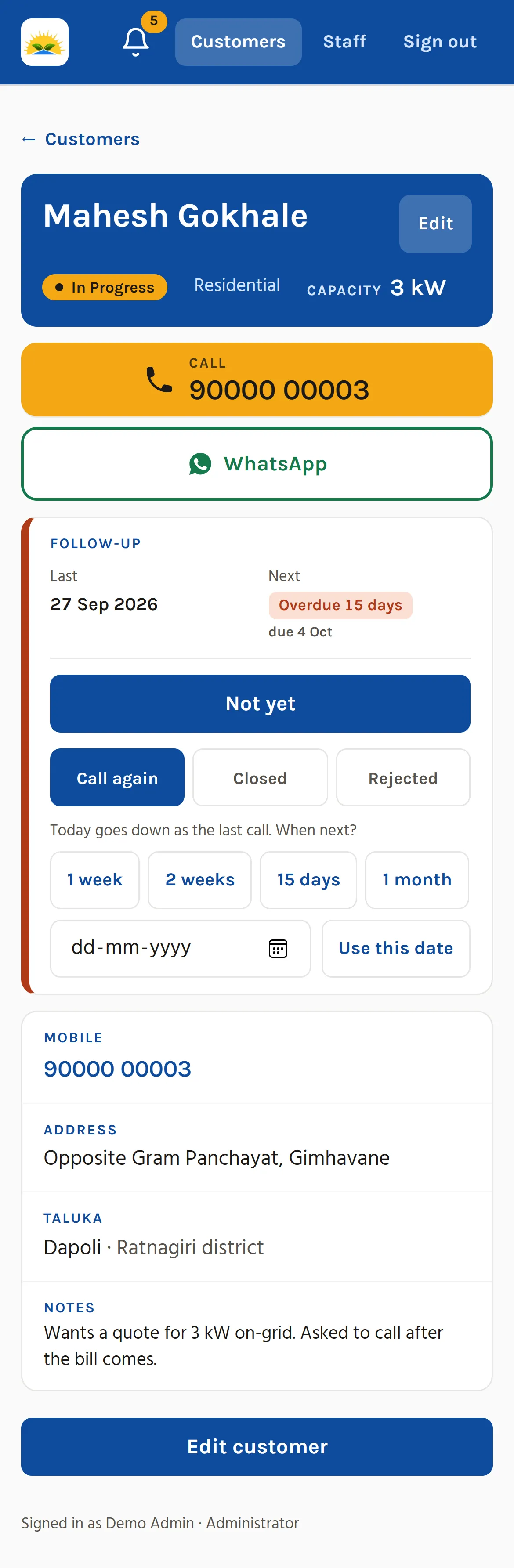
- After a call, one tap sets the next follow-up: 1 week, 2 weeks, 15 days, 1 month or a chosen date. Or it closes or rejects the customer.
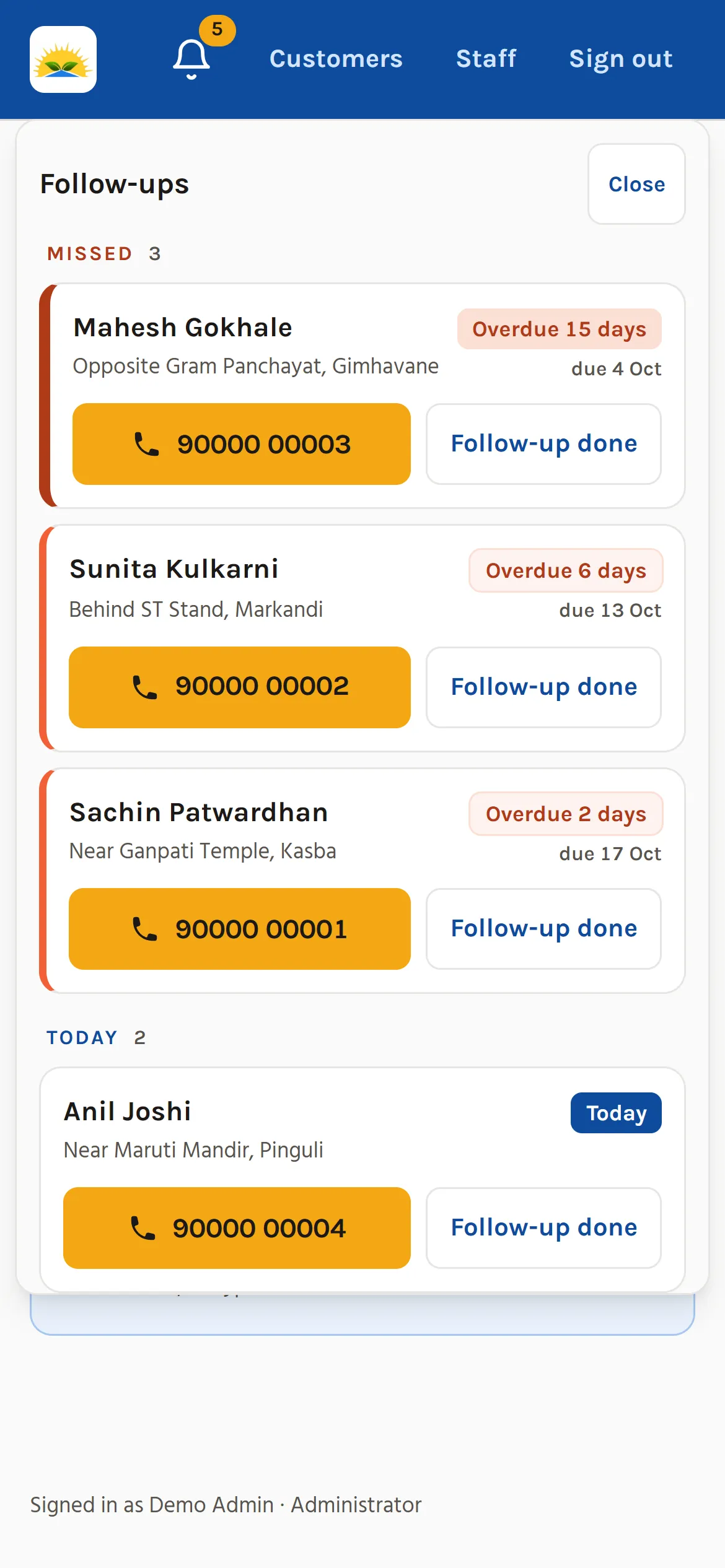
- A bell shows missed, today’s and upcoming follow-ups, and you can act on them from inside the bell.
- Reminders are prepared every night without creating duplicates.
Finding and checking customers
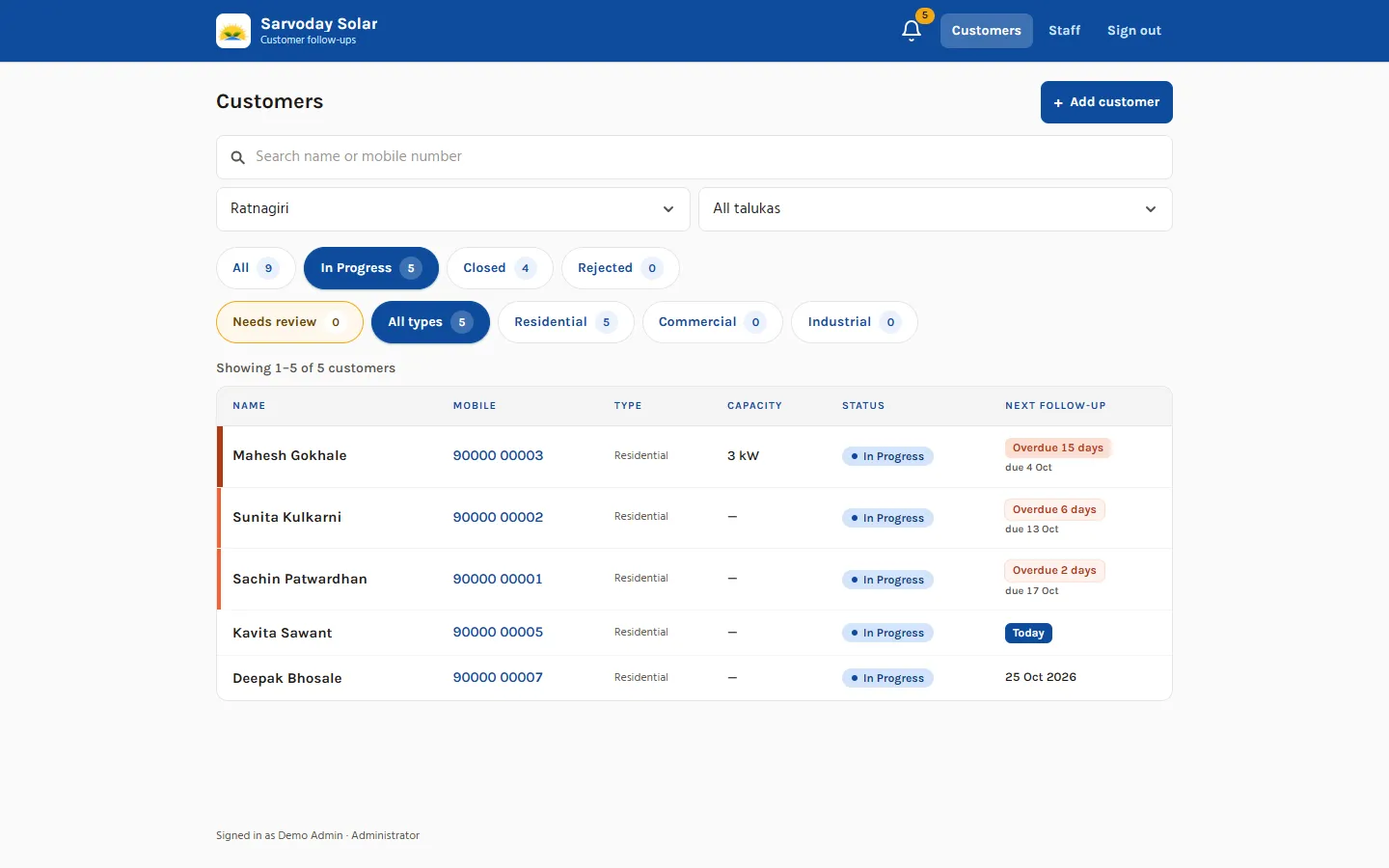
- Search by name, or by a phone number typed any way: with +91, with spaces, with a leading 0, or only part of it.
- Filters by status, customer type, district and taluka.
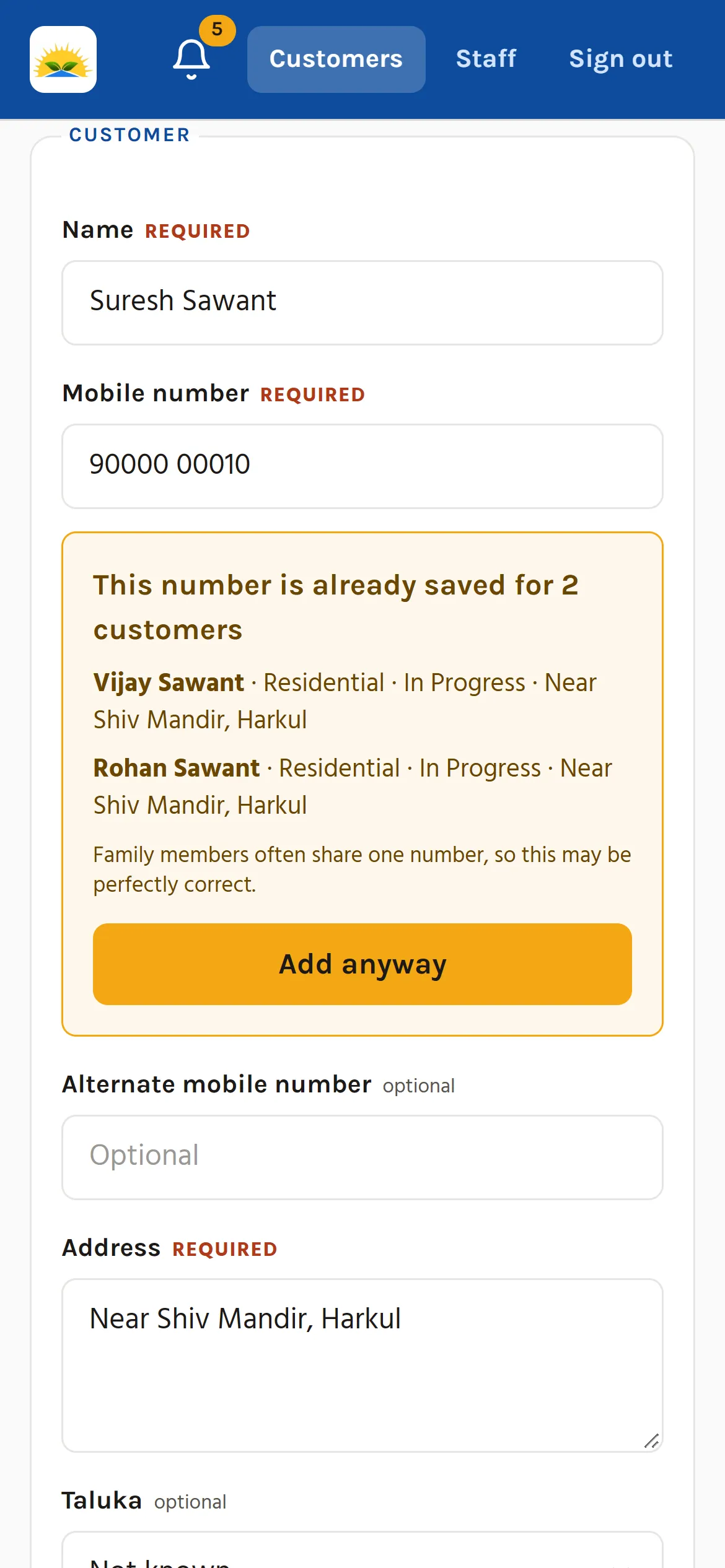
- A warning when a phone number already exists, with “Add anyway”. It never blocks, because family members often share a number.
- “Needs review” marks records with missing or doubtful details and says why on each row, for example “Missing: capacity”.
For the owner
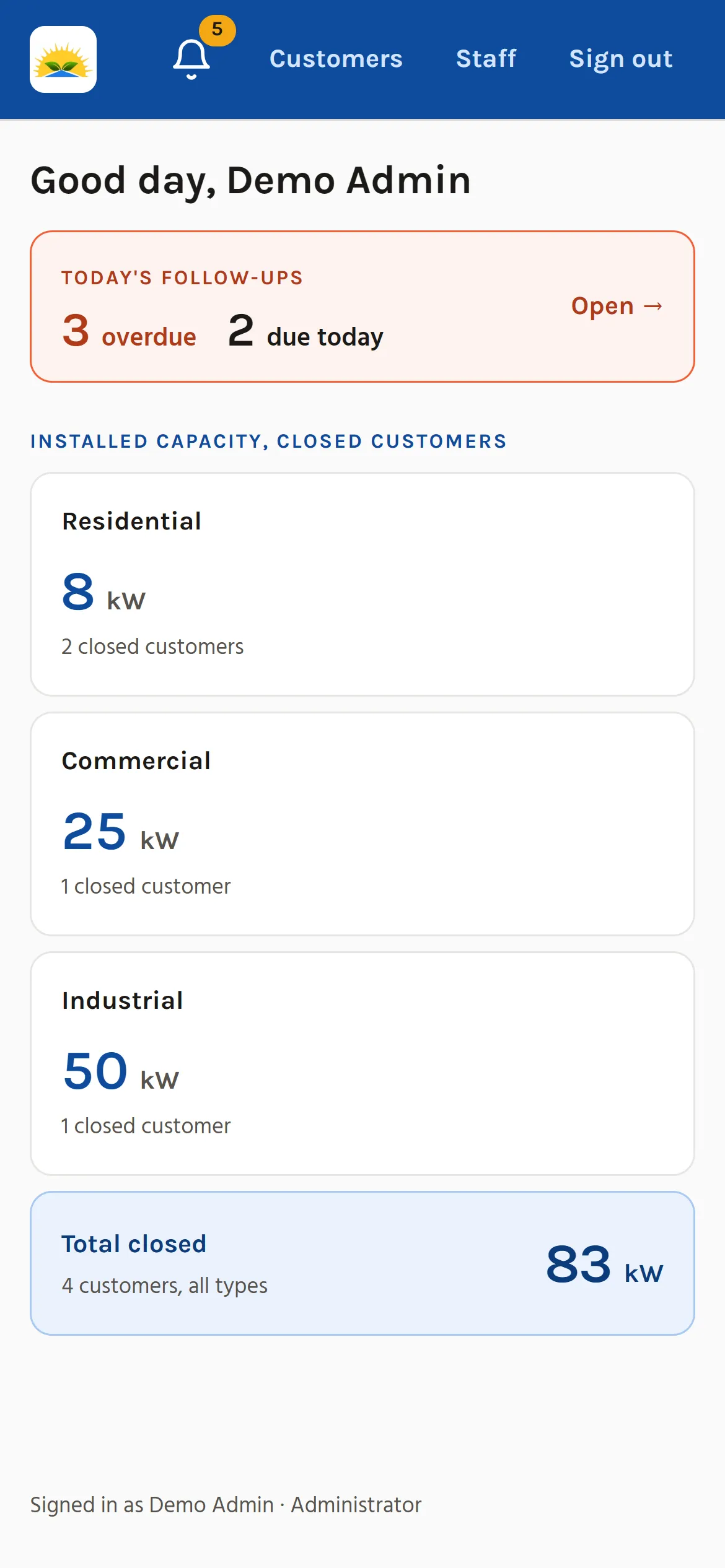
- A dashboard showing installed capacity in kW by customer type, and the total.
- Administrator and staff accounts. The administrator adds, disables and re-enables staff and resets passwords.
- Residential, commercial and industrial customers, with extra fields for businesses (organisation, contact person, sanctioned load).
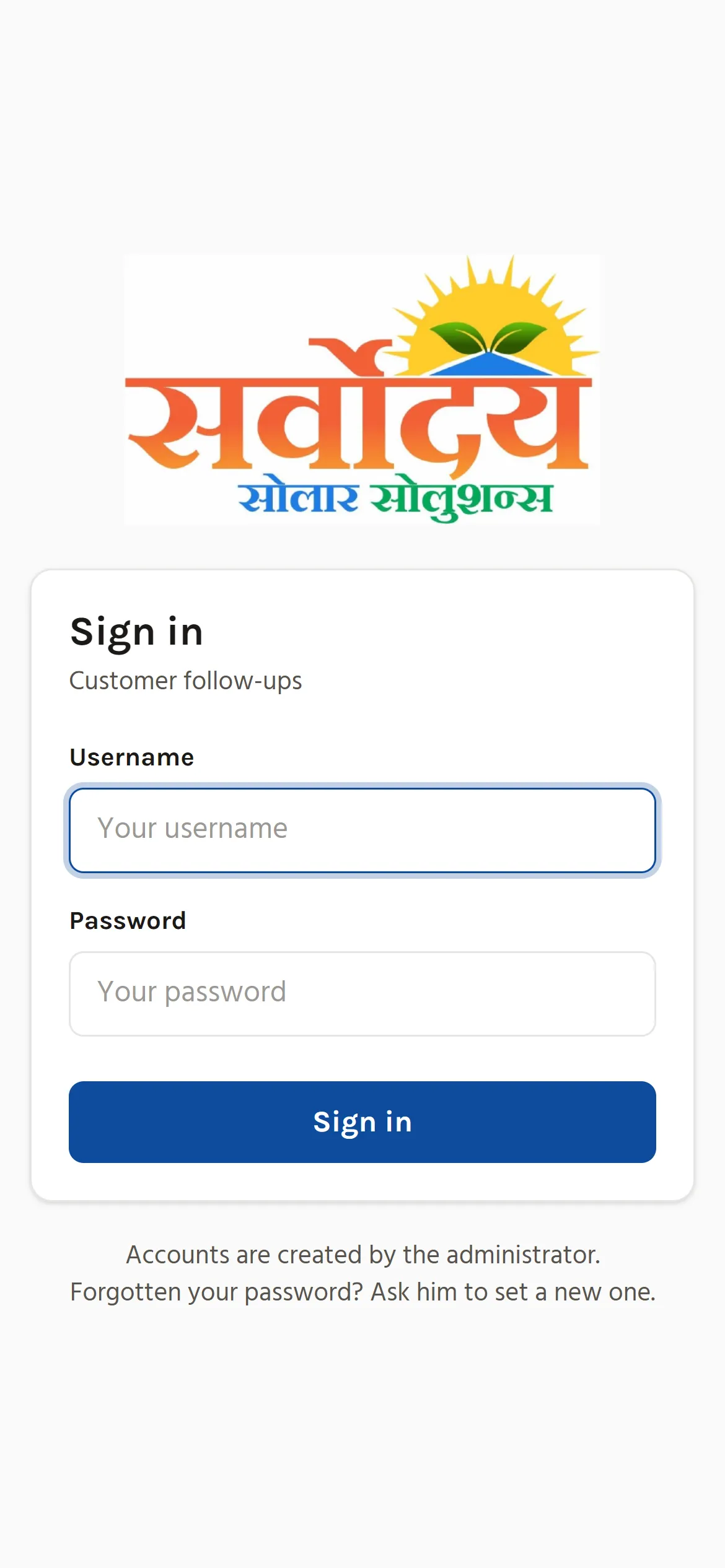
- Designed for phones first, in colours taken from the business’s logo and website.
The hardest part: moving the Excel data without losing or changing anything
The workbook had 21 sheets. The same customers appeared on stage sheets and area sheets. One sheet had its columns swapped. Capacities were written as “5KW Hybrid” or “3KW*2”, and phone numbers came in many formats. Some customers’ areas couldn’t be matched.
So the import was built to be careful rather than clever:
- It does a trial run by default and writes a full report before anything is saved.
- It merges duplicates.
- When it has to interpret a value, it keeps the original text alongside.
- Unclear records are flagged for review instead of guessed.
The result: 304 rows read from the 7 stage sheets, 24 merged as the same person, 1 skipped (it held only a phone number), and 280 customers created.
Testing also caught a subtle bug. An 11-digit phone number without a country code was silently cut to 10 digits, which produced a valid-looking number that belonged to someone else. It now refuses or flags such numbers, and automated tests check that.
Keeping it running safely
What this means for the owner: his customer list is backed up, the backups are proven to work, and there’s a warning if something stops.
- The server is on an AWS account in his own name. I work through a separate account with limited access.
- The customer database is backed up every night, and the whole server is copied every day.
- Once a week, a backup is restored automatically to check it actually works. It has restored all 280 customers.
- An alert goes out if a backup fails, and a monitor checks that the CRM is online.
- AWS wouldn’t allow the bigger server I’d planned on a new account, so I measured the CRM on the smaller one. With about 450 MB of its 1 GB of memory still free, we kept it.
After launch
Mr Karkare started a trial on 4 October and reported that everything was working, with one request. When he opened a customer and went back, his district and taluka filters were lost. I fixed it the same day, 16 October. While investigating it I found two related problems: the list could appear without its header after the browser’s Back button, and the dropdowns could show “All districts” while the list was still filtered. I fixed those in the same update, taking a backup first.
On 18 October he asked for a way to undo a customer closed or rejected by mistake. That was built and live the same day, as an administrator-only button with a confirmation step.
Where it stands
- Live, with 280 customers, and accepted by the client.
- 608 automated tests pass.
- Backups, the weekly restore test, daily snapshots and both monitors are confirmed working.
- The business has moved off the Excel file and now works from the CRM.
Before the CRM, our customers were spread across a big Excel file with many sheets, and it was hard to find anyone quickly. Mr. Atharva built us a simple CRM that works on our phones and shows us whom to call each day. Five people in our office use it now, and when we asked for changes after it went live, he made them the same day.
What the automated tests missed
The automated tests check each part of the CRM on its own. I also tested it by hand, screen by screen, and that found problems the tests had passed:
- Tapping the notification bell made it flash, but it didn’t open the list of missed follow-ups and customer names it was meant to show.
- The “Needs review” list didn’t show what needed reviewing, and some customer names had errors.
I described each problem to Claude Code, it fixed them, and I checked the fixes.
How the work was split
I used Claude Code to write the code, the automated tests and the server files, working from my requirements and decisions. I also used Claude to draft the build plan, test plan, server guide and user guide, and the instructions I gave Claude Code. My part:
- the client meetings, the requirements, and the scope and trade-offs agreed with him
- every technical choice: hosting, server size, how to handle the messy data, and the answers to Claude Code’s design questions
- testing by hand and reporting bugs
- setting up the AWS server, DNS, firewall, backups and monitoring myself, step by step
- importing the real data and supporting the client through the trial
Built with: Python, Django, PostgreSQL, HTMX, Alpine.js, Tailwind CSS, Docker Compose, Caddy, AWS Lightsail (Mumbai).